
Description
Product Overview
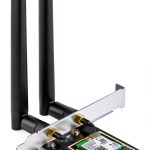
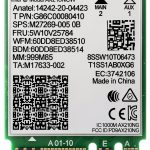
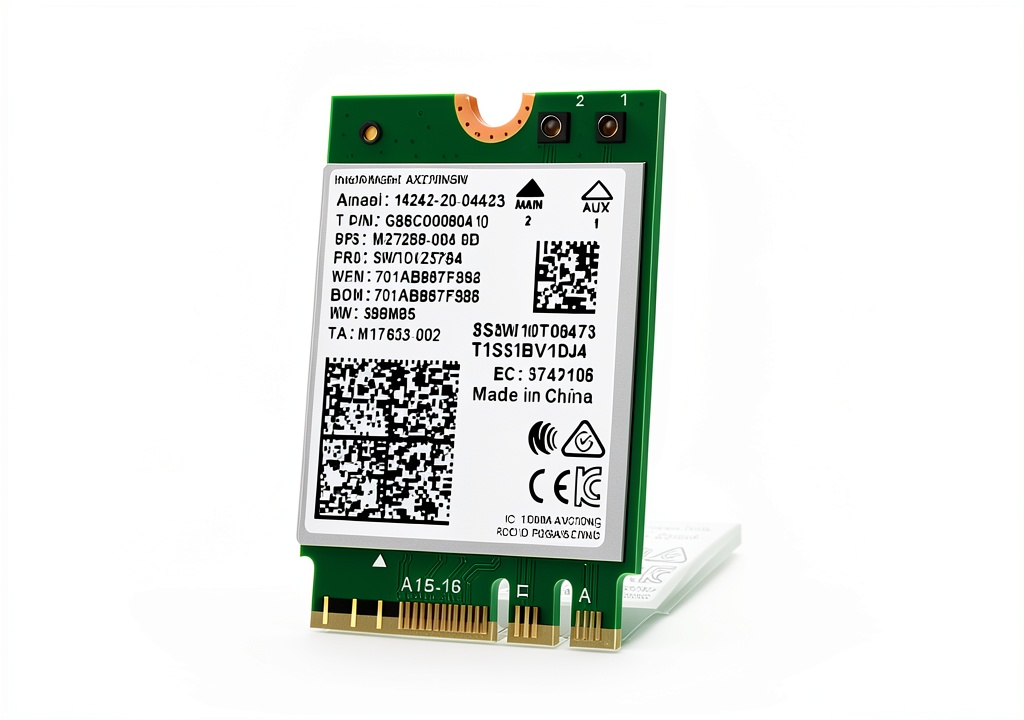
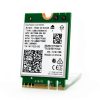
The Intel AX210 NGW Wi Fi 6E card brings the latest Wi Fi 6E technology to desktop computers, delivering unprecedented speed, capacity, and reliability. Built on a compact M.2 2230 form factor, the card fits seamlessly into modern motherboards that support an Intel CPU and an M.2 network slot. The device supports tri‑band operation across the 6 GHz, 5 GHz, and 2.4 GHz frequencies, allowing it to dynamically select the optimal band for each environment. With a combined theoretical throughput of up to 5374 Mbps—2400 Mbps on the 6 GHz band, 2400 Mbps on the 5 GHz band, and 574 Mbps on the 2.4 GHz band—the card provides ample bandwidth for high‑definition video streaming, fast file transfers, and low‑latency online gaming. Integrated Bluetooth 5.3 further enhances the user experience by offering faster data rates, lower power consumption, and improved coexistence with Wi Fi signals.
![[Product front view showing all components]](https://www.nethomes.store/wp-content/uploads/2026/06/6d3ee21d19d445c78f43832e9408dd26.jpg)
Usage
This Wi Fi card is designed for a wide range of use cases, from home office setups to high‑performance gaming rigs. Professionals who rely on video conferencing, cloud‑based applications, and large data uploads will benefit from the stable, high‑speed connection that reduces lag and packet loss. Gamers will appreciate the reduced latency and higher frame rates that come from the low‑interference 6 GHz band, while streamers can broadcast 4K content without buffering. The card also works well in dense apartment environments where multiple Wi Fi networks compete for the same spectrum, as the 6 GHz band provides additional channels that are less congested. Installation is straightforward: simply insert the card into the M.2 slot, secure it with a screw, and install the appropriate drivers from Intel’s website.
Why Choose Us
Choosing the Intel AX210 NGW means selecting a product backed by Intel’s decades of experience in networking hardware. The card undergoes rigorous testing for compatibility, performance, and durability, ensuring it meets the high standards expected by enterprise‑grade equipment. Intel provides a one‑year warranty and lifetime technical support, giving customers confidence that any issues will be addressed promptly. The device’s low power consumption extends the lifespan of the host system and reduces heat output, which is especially valuable in compact builds. Additionally, the card’s firmware is regularly updated to improve security, add new features, and maintain optimal performance across evolving Wi Fi standards.
Key Features
- Tri‑band Wi Fi 6E delivers ultra‑fast speeds and reduces network congestion for smoother online experiences.
- Combined throughput of up to 5374 Mbps supports demanding applications like 4K streaming and large file transfers.
- Bluetooth 5.3 provides low‑latency connections for peripherals and IoT devices while consuming less power.
- Compact M.2 2230 form factor fits easily into modern motherboards without sacrificing performance.
- One‑year warranty and lifetime technical support ensure reliable after‑sales service.
FAQ
What operating systems are supported?
The AX210 NGW is compatible with Windows 10 and Windows 11 64‑bit editions. Drivers can be downloaded from Intel’s website and must be installed to enable full Wi Fi and Bluetooth functionality.
Do I need a specific motherboard slot?
Yes, the card requires an M.2 2230 slot with an A/E key, which is common on recent Intel‑based motherboards. Check your motherboard specifications to confirm compatibility before purchasing.
Can I use the card for both Wi Fi and Bluetooth simultaneously?
Absolutely. The integrated Bluetooth 5.3 module operates concurrently with the Wi Fi radios, allowing you to connect Bluetooth peripherals while maintaining a high‑speed Wi Fi connection.
Is the card suitable for gaming laptops?
While the card is designed for desktop PCs, it can be used in gaming laptops that have an accessible M.2 2230 slot and meet the required key specifications. Always verify physical space and slot compatibility before installation.
How do I update the firmware?
Firmware updates are released on Intel’s support page. Download the latest package, follow the provided instructions, and apply the update using the Intel® Driver & Support Assistant tool.
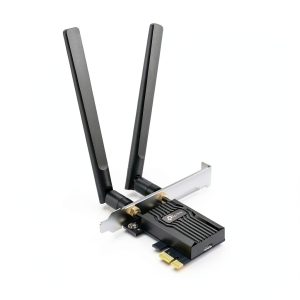
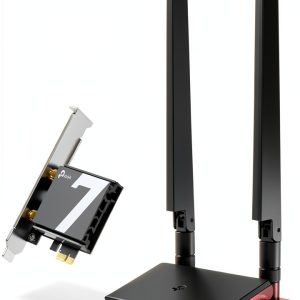 WiFi 7 PCIe Card TP Link Archer TBE550E Tri Band 5760Mbps
Reviews
There are no reviews yet.